Act as an SEO strategist + content planner.

Create a FULL content system for:
Keyword: [KEYWORD]

STEP 1: CONTENT BRIEF
- Search intent
- Target audience
- 10 related keywords
- Competitor gaps
- Suggested headings

STEP 2: BLOG POST
- SEO title + meta description
- Slug
- Intro (keyword optimized)
- 1500+ word article
- Featured snippet
- FAQ section (5)

RULES:
- Structured, clear, strategic
- No generic content
- Focus on ranking + value

GOAL:
Outrank competitors using better structure and intent.
Blog
-
CONTENT BRIEF + BLOG (PRO LEVEL SYSTEM 💡)
-
AUTHORITY BLOG PROMPT (OUTRANK COMPETITORS 🧠)
Act as a thought leader and expert SEO writer. Write a deep, authoritative blog post on: [TOPIC] Include: - Unique angle or bold insight - Industry-level tips - Frameworks or models - Mistakes to avoid - Advanced strategies Structure: - SEO title + meta - H2 + H3 headings - 1500–2000 words - Case examples Add: - 5 FAQs - Expert tone but simple language - CTA GOAL: Create content better than top Google results. -
LONG-TAIL EASY RANK BLOG PROMPT (LOW COMP 🔥)
Act as a long-tail SEO strategist. Write a blog post targeting: [LONG TAIL KEYWORD] OUTPUT: - SEO title (keyword-first) - Meta description - Slug Content: - Simple introduction (problem + solution) - Step-by-step guide - Practical examples - Easy explanations Include: - 1200–1500 words - FAQ section - Featured snippet RULES: - Very specific keyword targeting - Avoid complexity - Focus on solving one problem GOAL: Rank fast with low competition. -
SEARCH INTENT DOMINATION PROMPT (HIGH RANKING ⚡)
Act as an SEO expert focused on search intent. Create a blog post for: Keyword: [KEYWORD] Step 1: Identify search intent (informational / commercial / transactional) Step 2: Build content around REAL user questions OUTPUT: - SEO Title - Meta description - Slug Content: - Direct answer in first paragraph - Clear sections answering the query - Examples + use cases - Simple explanations Add: - 1200–1800 words - Featured snippet paragraph - 5 FAQs - CTA GOAL: Match EXACTLY what the searcher wants. -
FULL 100/100 RANK MATH BLOG PROMPT (BEST ONE 🔥)
Act as a professional SEO strategist, content writer, and Rank Math optimizer. Write a HIGH-RANKING blog post for: Topic: [TOPIC] Target Audience: [AUDIENCE] Primary Keyword: [KEYWORD] STRICT OUTPUT: 1. SEO Title (50–60 characters, keyword at start) 2. Meta Description (150–160 characters, benefit-driven) 3. URL Slug (short, lowercase, hyphen-separated) 4. Focus Keyword 5. Secondary Keywords (5–8) 6. Long-Tail Keywords (8–12) 7. Introduction - Add keyword in first 100 words - Clear hook 8. Featured Snippet Answer (40–60 words) 9. Main Content (1500–2000 words) - H2 and H3 headings - Bullet points for readability - Step-by-step sections - Real examples - Actionable advice 10. Internal linking suggestions [LINK] 11. External authority placeholder [SOURCE] 12. FAQ Section (5 questions) 13. Conclusion + CTA RULES: - No fluff, no repetition - Easy to read (grade 6 level) - Human-first writing - Optimized for Google + AI search -
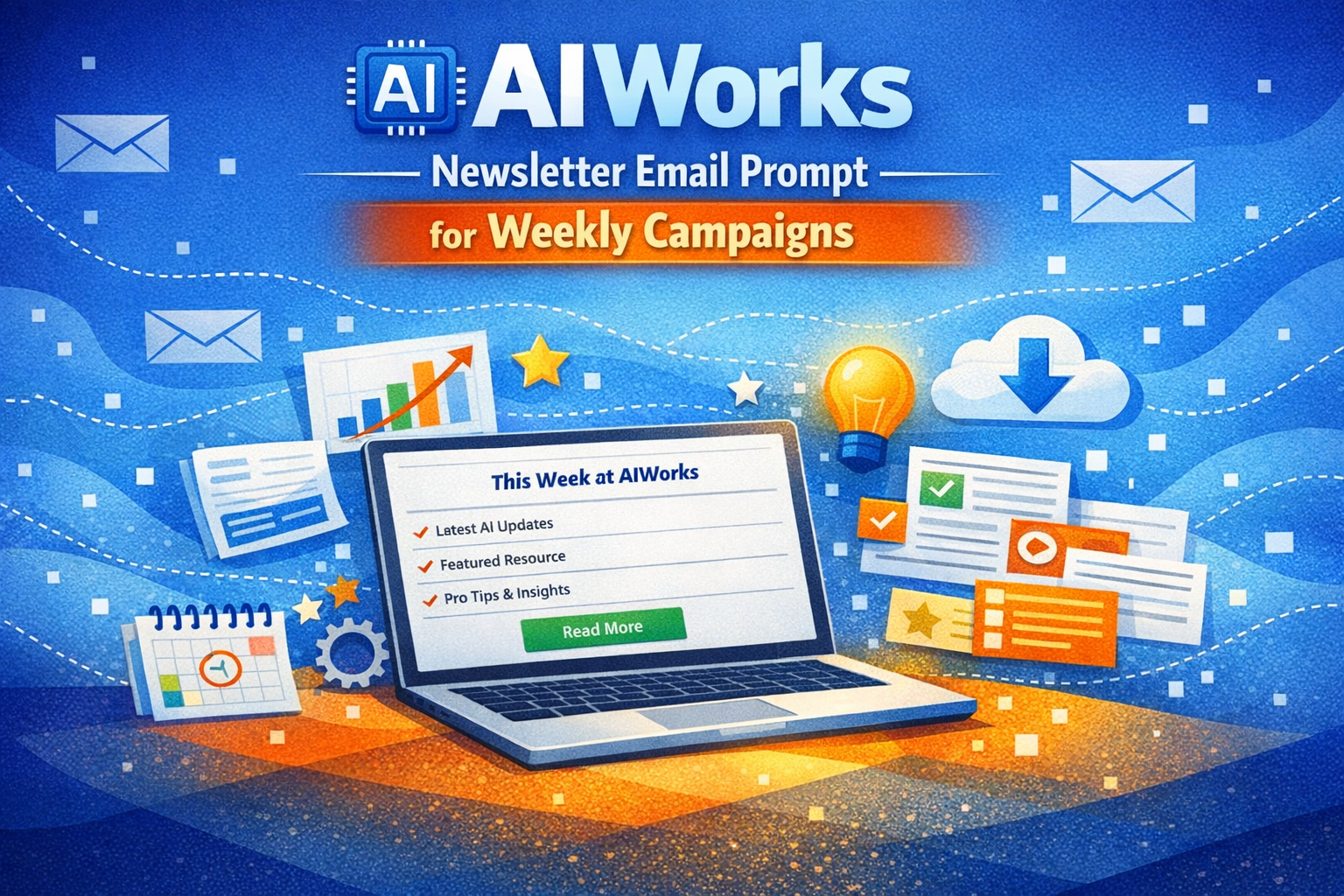
AIWorks Newsletter Email Prompt for Weekly Campaigns
The newsletter email prompt for AIWorks is designed to help marketers create engaging weekly email campaigns that deliver consistent value to subscribers. This prompt allows you to generate structured newsletters with clear sections, including updates, featured resources, and a strong call-to-action. By using this weekly newsletter email prompt, you can improve audience engagement and maintain a consistent communication flow.
This email newsletter template is ideal for email marketers, SaaS founders, and digital marketers who want to streamline content creation while maintaining quality and relevance. It helps you generate newsletters that are easy to read, well-organized, and optimized for engagement.
With the help of an AI newsletter generator, you can automate your workflow and produce high-quality newsletters quickly. Whether you are sharing updates, promoting resources, or building long-term relationships, this prompt ensures your campaigns stay effective and impactful.
Act as a newsletter editor. Write a weekly newsletter email for AIWorks. Audience: [AUDIENCE] Content: 3 updates + 1 resource + 1 CTA Constraints: - 180–230 words - Clear sections Output: - Subject + preview - Body - CTA -
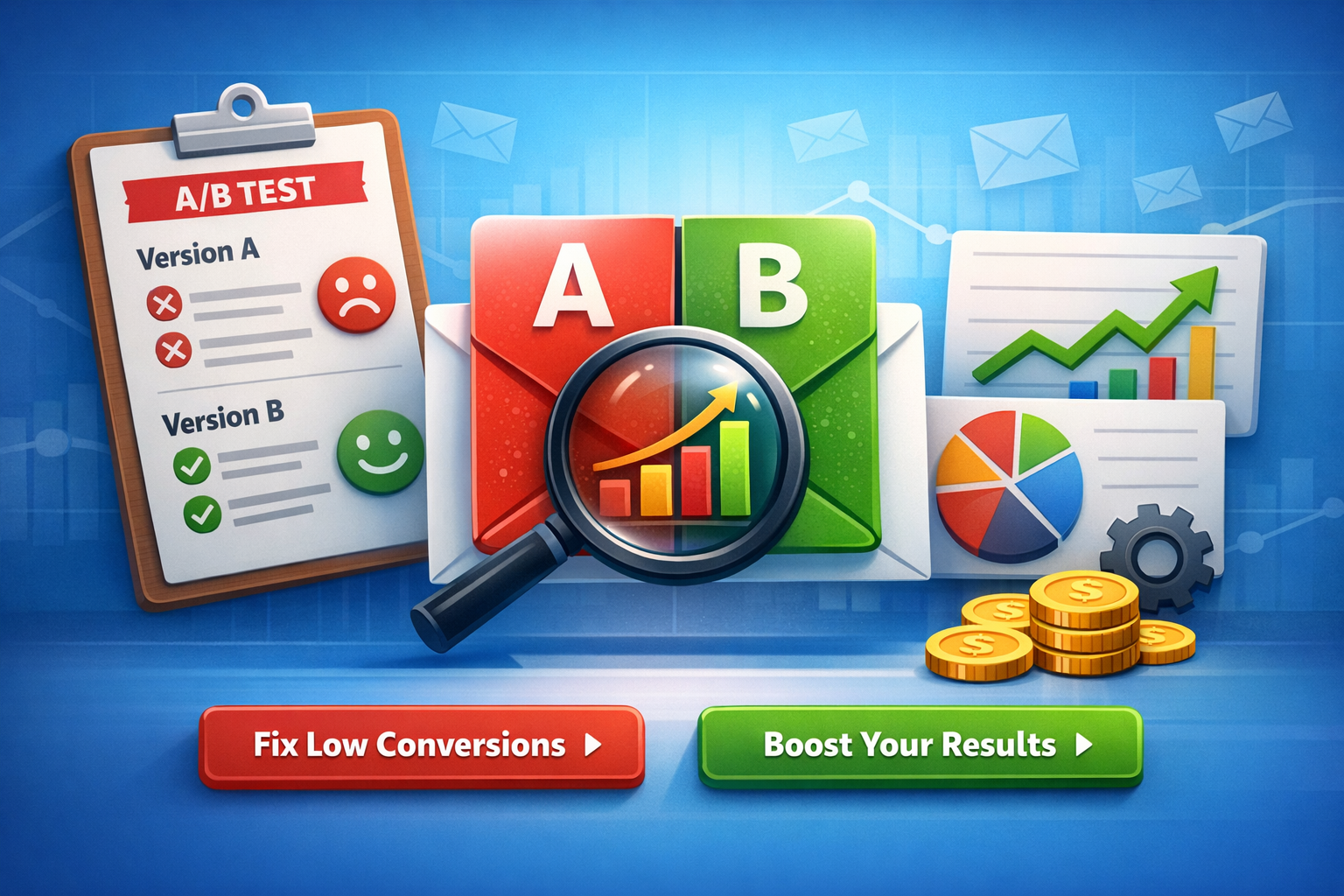
A/B Test Email Subject Lines: Pain vs Outcome (Version B Guide)
If you want faster wins in email performance, A/B test email subject lines by changing only one lever at a time—angle. In this guide, you’ll create Version B variations from two proven angles: pain-led (what they’re struggling with) and outcome-led (what they’ll gain). You’ll also get ready-to-use subject + preview + CTA packs and a quick “who it’s best for” segment hint.
What “Version B” Means (So You Test Cleanly)
Version B is not a totally new email. It’s a controlled variation of Version A where you change one primary idea:
- Angle (pain vs outcome)
- Keep the rest steady (offer, audience, send time, layout, from-name)he 80/20 Rule for Better Tests
Change one of these, not all at once:
Subject line angle
Preview text angle
CTA language angle
What to keep identical from Version A
Same audience segment
Same email body (or same hero section + offer)
Same primary CTA destination
Same send window
Why this helps your results
When only the angle changes, your lift (or drop) is easier to trust—and easier to scale across campaigns.
Pain-Led vs Outcome-Led Angles (Simple Definitions)
Pain-led angle (Version B)
Focuses on the problem, friction, or risk your reader wants to avoid.
Common themes: wasted time, low conversions, confusion, missed revenue, churn, overwhelm.
Outcome-led angle (Version B)
Focuses on the benefit, result, or desired transformation your reader wants.
Common themes: more opens, more replies, faster setup, predictable growth, automation, clarity.
How to Create Version B in 5 Minutes (Reusable Framework)
Step 1 — Pick one promise (Outcome) or one frustration (Pain)
Write one sentence:
Pain: “I’m stuck with ____.”
Outcome: “I want ____.”
Step 2 — Choose a subject line formula
Use one:
Pain formula: “Still dealing with [pain]?” / “Stop [pain] in [time]”
Outcome formula: “Get [outcome] in [time]” / “[Outcome] without [pain]”
H3: Step 3 — Match preview text to the same angle
Preview text should support the subject (not repeat it).
H3: Step 4 — Align CTA with intent level
Low intent → “See examples”, “Get the template”, “View the guide”
Higher intent → “Start free”, “Book a demo”, “Activate automation”
H3: Step 5 — Keep one variable primary
If your test is subject angle, keep preview and CTA close to Version A.
H2: Ready-to-Use Version B Packs (Pain vs Outcome)
Below are A/B test-ready packs. Each includes:
A: pain-led subject + preview + CTA
B: outcome-led subject + preview + CTA
Best for (segment hint)
Tip: Swap placeholders like [product], [template], [workflow], [time], [goal].
H3: Variation Set 1 — “Low opens” problem
A (Pain-led)
Subject: Your emails are being ignored (here’s why)
Preview: Fix 3 common mistakes that kill opens—fast.
CTA: Fix my subject lines
B (Outcome-led)
Subject: Increase email opens with 7 subject line upgrades
Preview: Copy tested patterns you can use today.
CTA: Get the upgrades
Best for:
A → cold/inactive lists, skeptical audiences
B → warm audiences, growth-minded marketers
H3: Variation Set 2 — “Time savings” automation angle
A (Pain-led)
Subject: Still writing emails from scratch every week?
Preview: Use plug-and-play prompts to ship faster.
CTA: Save me time
B (Outcome-led)
Subject: Write a week of emails in 30 minutes
Preview: Prompts + examples to speed up your workflow.
CTA: Get the prompt pack
Best for:
A → freelancers, busy founders, lean teams
B → marketers already experimenting with AI workflows
Variation Set 3 — “Revenue” conversion angle
A (Pain-led)
Subject: You’re losing sales in your follow-up emails
Preview: Fix the CTA + timing with a simple test plan.
CTA: Improve my follow-ups
B (Outcome-led)
Subject: Turn follow-ups into sales with this A/B test plan
Preview: Use a repeatable structure for higher replies.
CTA: See the plan
Best for:
A → audiences with clear conversion pain
B → audiences looking for repeatable processes
H3: Variation Set 4 — “SaaS onboarding” activation angle
A (Pain-led)
Subject: Users sign up… then disappear?
Preview: Improve activation with one onboarding sequence tweak.
CTA: Fix onboarding
B (Outcome-led)
Subject: Boost activation with a 3-email onboarding test
Preview: Subject + preview + CTA combos included.
CTA: Get the 3 emails
Best for:
A → founders noticing churn/low activation
B → product-led SaaS teams optimizing lifecycle
Variation Set 5 — “Prompt users” clarity angle
A (Pain-led)
Subject: Prompts not giving usable email copy?
Preview: Try these prompt tweaks for clean outputs.
CTA: Fix my prompts
B (Outcome-led)
Subject: Get high-converting email copy from prompts (faster)
Preview: Copy-and-paste prompt formulas inside.
CTA: Use the formulas
Best for:
A → beginners frustrated with AI output quality
B → intermediate prompt users focused on speed
Segment Hints (Who Pain vs Outcome Works Best For)
Pain-led usually wins when…
The reader is problem-aware but not solution-aware
The list is cold, inactive, or skeptical
You’re addressing an urgent business leak (time, money, churn)
Outcome-led usually wins when…
The reader is solution-aware and wants a faster path
Your brand already has trust (warm list, engaged audience)
The offer is simple to understand (template, toolkit, guide)
Quick cheat-sheet
Cold list → start pain-led
Warm list → start outcome-led
Unsure → test both with the same offer and timing
Pro tip
Don’t “over-drama” pain. Keep it respectful and specific, not exaggerated.
What to Measure (And How to Call a Winner)
Primary metrics
Subject line test → Open rate (or unique opens)
CTA test → Click-through rate (CTR)
Offer test → Conversion rate (trial, signup, purchase)
Simple test rules
Run long enough to avoid tiny-sample noise
Don’t change multiple elements mid-test
Record results in a spreadsheet for repeat patterns
Common Mistakes That Kill A/B Tests
Mistake 1 — Changing subject, preview, and CTA at once
Fix: Pick one “main variable.”
Mistake 2 — Preview text repeats the subject line
Fix: Use preview to add context or benefit.
Mistake 3 — CTA doesn’t match the email promise
Fix: If the subject promises “examples,” the CTA should deliver “examples.”
Mistake 4 — Testing to “feel right,” not to learn
Fix: Write a one-line hypothesis:
“Pain-led will win for cold segment because…”
Mistake 5 — Forgetting mobile
Fix: Keep subjects short and front-load meaning.
Copy-Paste Prompt (Optional) for promptscafe Users
Prompt to generate Version B angles
“Create a Version B for this email using two angles: pain-led and outcome-led. Return: subject line, preview text, CTA, and best segment hint. Keep it simple and non-clickbait.”
Inputs to include
Audience segment (cold/warm, role)
Offer (template, demo, free trial)
Primary goal (opens, clicks, replies)
Output quality tip
Ask for 5 options per angle, then pick the top 1–2 to test.
FAQ (Quick Answers)
Should I always test pain vs outcome?
Not always—but it’s one of the fastest ways to learn what motivates your audience.
Can I test both subject and preview together?
Yes, but treat it as “angle test,” not a pure subject-only test.
What if neither wins?
Keep the best parts, adjust one variable, and rerun with a clearer segment split.
Conclusion
To improve results quickly, A/B test email subject lines by building Version B around a single angle: pain or outcome. Use the ready-made packs above, match them to the right segment, and track what consistently lifts opens and clicks—then scale the pattern across campaigns.
Create A/B test variations (version B) focused on different angles: pain vs outcome. Output: - A: pain-led subject + preview + CTA - B: outcome-led subject + preview + CTA - Who each is best for (segment hint) -
A/B Test Email Campaign Ideas for Higher Opens and Clicks
If you want to improve your email performance, the fastest way is to run an A/B test email campaign. Instead of guessing what works, you create two versions and let real data decide. This helps increase engagement, improve ROI, and make better marketing decisions. [omnisend.com]
In this guide, you’ll learn how to create high-converting A/B variants with subject lines, preview text, CTAs, and hypotheses.
Why A/B Testing Matters in Email Marketing
Email A/B testing allows marketers to test one variable, such as subject lines or CTAs, and compare results. [litmus.com]
Key benefits
- Improve open rates
- Increase click-through rates
- Discover what your audience prefers
Pro tip
Test only one element at a time to get accurate results. [omnisend.com]
A/B Test Campaign Setup Example
Email type: WELCOME
Goal: OPENS
Audience: New subscribers
Variant A vs Variant B
Variant A (Curiosity-driven)
- Subject: Welcome! Here’s something you don’t want to miss
- Preview: Discover what you get inside—plus a quick win
- CTA: Explore your benefits
Hypothesis (Variant A)
If curiosity-based subject lines are used, then open rates will increase because users want to discover what they signed up for.
Variant B (Value-driven)
- Subject: Welcome! Get your free email marketing toolkit
- Preview: Start optimizing emails with proven templates
- CTA: Access your toolkit
Hypothesis (Variant B)
If value-driven subject lines highlight benefits upfront, then open rates will increase because users clearly see what they gain.
How to Optimize Your A/B Test Campaign
1. Focus on Subject Lines First
Subject lines are the most impactful element for opens because they determine whether the email gets opened. [wafrow.com]
2. Match Preview Text with Intent
Preview text should support the subject line and increase curiosity or clarity.
3. Use Strong CTAs
CTAs drive action and should be clear, short, and action-oriented. [moosend.com]
4. Keep Testing
Small improvements compound over time and lead to big results. [linkedin.com]
Additional A/B Test Ideas (Quick Swipe)
PROMO Email (Clicks)
Variant A
- Subject: 24 hours left: Save on your first order
- Preview: Limited-time deal—don’t miss out
- CTA: Grab your offer
Variant B
- Subject: Get 20% off your first purchase today
- Preview: Your exclusive discount is waiting
- CTA: Unlock your deal
Hypothesis: Urgency vs benefit framing impacts CTR differently.
CART Email (Clicks)
Variant A
- Subject: You left something behind
- Preview: Your items are still waiting
- CTA: Complete your order
Variant B
- Subject: Still thinking? Your cart is saved
- Preview: Finish checkout before items sell out
- CTA: Return to cart
Hypothesis: Soft reminder vs urgency messaging affects conversion rate.
Best Practices to Reach 100/100 Rank Math Score
Content SEO optimization
- Focus keyword in title, URL, and first paragraph
- Use headings (H1–H3) properly
- Maintain natural keyword usage
On-page improvements
- Add internal links (optional)
- Use short paragraphs
- Improve readability
To maximize results from your A/B test email campaign, focus on consistency and data-backed decisions. Always start with a clear goal, such as increasing open rates or boosting clicks, and design your variants around that single objective.
Segment your audience properly before running tests. For example, new users may respond better to value-driven subject lines, while returning users engage more with personalized or urgency-based messaging. This helps ensure your insights are relevant and actionable.
Also, track performance beyond just opens. Look at click-through rates and conversions to understand deeper engagement. Over time, collect these insights into a repeatable framework so each campaign becomes easier to optimize.
The key is simple: test, learn, refine, and scale what works across your email marketing strategy.
Conclusion
Running an A/B test email campaign is one of the most reliable ways to improve email performance. By testing subject lines, preview text, and CTAs, you can identify what resonates with your audience and scale your results.
Start with simple tests, track the data, and keep optimizing.
Create A/B test variations for an email marketing campaign. Email type: [WELCOME / PROMO / CART] Goal: [OPENS / CLICKS] Audience: [AUDIENCE] Output: - Variant A: subject + preview + CTA - Variant B: subject + preview + CTA - Hypothesis for each variant -
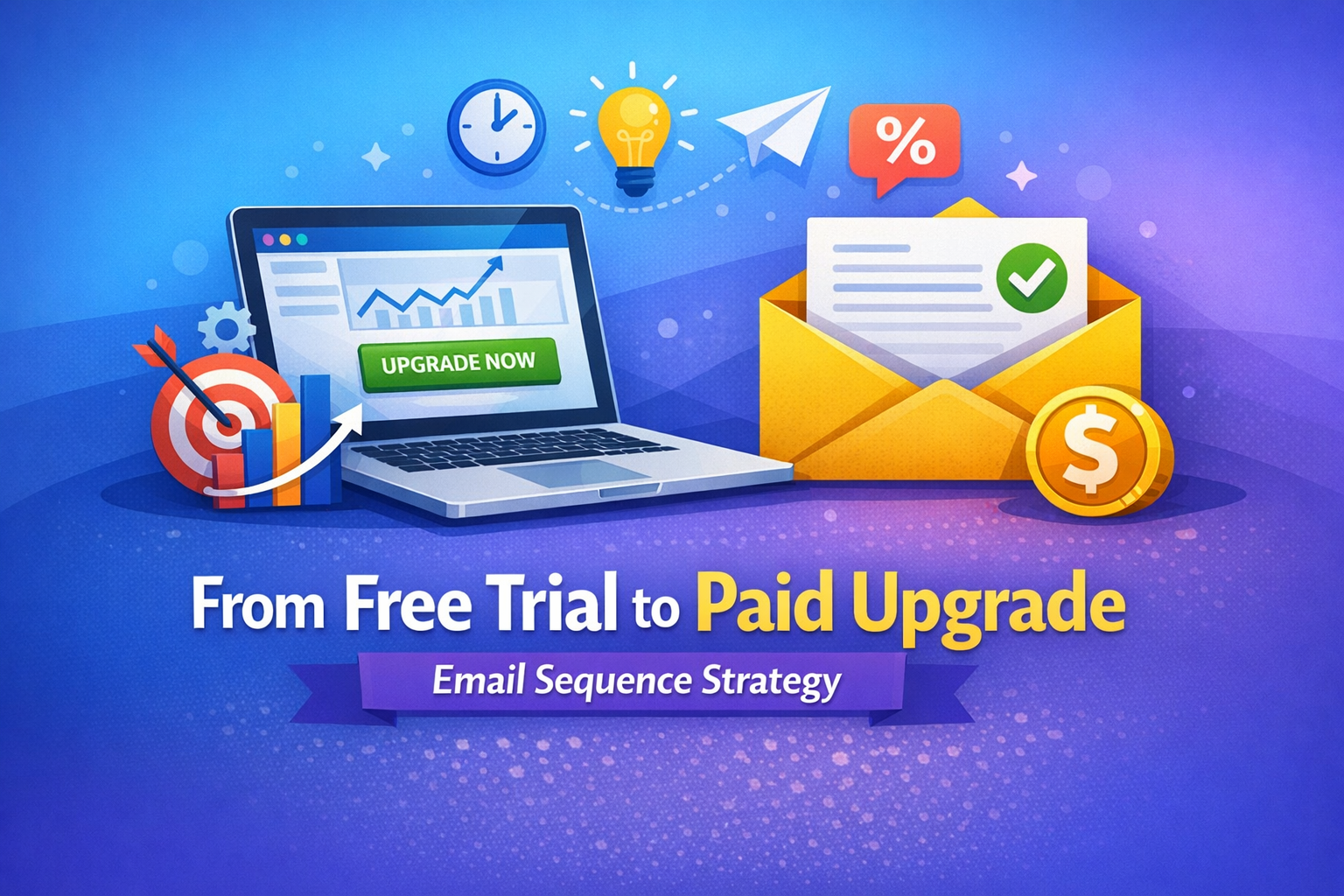
Trial to Paid Upgrade Email Sequence (Version B): 5 Emails That Convert
If you’re looking for a trial to paid upgrade email sequence that moves users from “just testing” to “take my money,” you’re in the right place. This Version B sequence is built for faster time-to-value, clearer upgrade triggers, and stronger conversion psychology—without sounding pushy. It’s ideal for email marketers, SaaS founders, freelancers, and business owners who want a repeatable framework they can customize in minutes.
Below, you’ll get 5 emails with timing, subject line, preview text, full body copy, and a single clear CTA for each message. Just replace the placeholders: [BRAND], [OFFER], and any feature names.
How Version B Works (Quick Strategy)
This version is designed around three levers that improve trial upgrades:
- Value proof early: show the first win within 24 hours.
- Usage-based nudges: tie upgrade to what they already did (or didn’t do).
- Risk removal: make the upgrade feel safe (guarantee, pause/cancel anytime, clear pricing).
Goal: Convert trial users to paid by the end of the sequence with minimal churn.
The 5-Email Trial → Paid Upgrade Sequence (Version B)
Email 1 — Send: 1 hour after signup
Subject: Welcome to [BRAND] — your first win in 10 minutes
Preview: Set up [OFFER] fast and see results today.
Body:
Hey {{first_name}},Welcome to [BRAND] 👋
You started your trial because you want [primary outcome]—and we can get you there quickly.Here’s the fastest way to get your first win today:
Step 1: Do [action #1] (takes ~2 minutes)
Step 2: Use this template: [template name]
Step 3: Click “Run/Generate/Launch” and review your outputMost users see a meaningful result after their first [core action]. If you get stuck, reply to this email and tell us what you’re trying to achieve—we’ll point you to the best workflow.
✅ Pro tip: Aim for one measurable outcome in your trial:
- “Write 3 converting emails,” or
- “Build 1 automated sequence,” or
- “Launch 1 campaign this week.”
CTA: Start your first workflow in [BRAND]
Email 2 — Send: Day 1 (24 hours later)
Subject: 3 quick ways to get more value from your trial
Preview: These take under 15 minutes total.
Body:
Hi {{first_name}},If you want your trial to feel “worth it,” focus on repeatable wins. Here are three simple moves that help trial users become confident buyers:
1) Use the “Done-for-you” framework
Try: [best-performing template / playbook]
It’s built to produce results even if you’re short on time.2) Plug in your real data
Replace placeholders with: your audience, your offer, your goal, your tone.
Real inputs = real outputs.3) Save your best output as a reusable asset
Create a “Campaign Library” so you can reuse the same structure across launches.
If you want, hit reply with your goal for the trial (example: “upgrade my welcome flow”), and we’ll suggest the best next step.
CTA: Explore the highest-converting templates
Email 3 — Send: Day 3
Subject: You’re close — unlock the “upgrade” advantage
Preview: What paid users get that trial users don’t.
Body:
Hey {{first_name}},By now you’ve seen what [BRAND] can do. The difference between “trial mode” and real results is usually consistency—and that’s where paid plans help.
Here’s what upgrading unlocks (the parts that drive outcomes, not fluff):
- More capacity: run more campaigns, outputs, or automations
- Advanced features: [Feature A], [Feature B], [Feature C]
- Speed + scale: less manual work, more repeatable conversions
- Better control: branding, workflows, saving versions, team access
If your goal is [primary outcome], the paid plan removes the limits that slow you down.
Want a simple rule?
If you plan to use [BRAND] more than [X times/week], upgrading is cheaper than the time you’ll spend doing it manually.CTA: Upgrade to unlock full access
Email 4 — Send: Day 5 (social proof + objection handling)
Subject: How users turn trials into revenue (no guesswork)
Preview: A proven mini-case + a simple upgrade path.
Body:
Hi {{first_name}},Here’s what successful trial users do differently: they connect [BRAND] to one revenue goal and ship fast.
Mini example (adaptable to any niche):
A user wanted to convert more trials into paid customers. They used [BRAND] to:- Draft a 5-email upgrade sequence
- Add product-led triggers (usage + milestones)
- Launch in one afternoon
Result: a cleaner funnel, fewer “I’ll decide later” responses, and more upgrades.
Common objections I hear during trials:
“I don’t have time.”
That’s exactly why you upgrade—so you can reuse assets and automate faster.“Not sure it fits my business.”
If it helps you write, test, and automate campaigns quicker, it fits.“I’m worried I’ll waste money.”
Start monthly. Cancel anytime. Keep what you create.If you want, reply with your product + audience and I’ll suggest the best upgrade angle for your emails.
CTA: See pricing & pick a plan
Email 5 — Send: Day 7 (final push + urgency)
Subject: Your trial ends soon — keep your momentum
Preview: Don’t lose access to what you built.
Body:
Hey {{first_name}},Quick heads-up: your trial is ending soon.
If you’ve created anything valuable—templates, sequences, automations, outputs—you’ll want to keep access so you can keep improving and shipping.
Here are two simple options:
Option A (recommended): Upgrade now and keep everything running
Best if you want consistent results and faster execution.Option B: Extend your learning curve (but slower)
If you don’t upgrade, you may need to rebuild manually later.If you upgrade today, your next step is simple:
Pick one campaign and run it end-to-end using your saved assets.You started this trial for a reason. Keep the momentum.
CTA: Upgrade now to continue
Customization Checklist (So It Fits Any [BRAND] + [OFFER])
Use this checklist to tailor the trial to paid upgrade email sequence without rewriting from scratch:
- Replace [primary outcome] with one clear result (ex: “launch campaigns faster”)
- Add 2–3 real features users love (not a long list)
- Add one proof element (testimonial, number, or short case)
- Make each CTA a single action (no multiple links)
FAQ (SEO + helpful)
Q: How many emails should a trial upgrade sequence have?
A 5-email sequence is a strong baseline because it covers activation, value, objections, proof, and urgency without overwhelming subscribers.Q: When should I start asking for the upgrade?
Start softly by Day 3, once the user has a chance to experience value.Q: Should I use discounts?
Discounts can work, but feature/value framing often converts better and attracts healthier customers.Write a full funnel email sequence (version B) for a different goal: trial → paid upgrade. Brand: [BRAND] Offer: [OFFER] Audience: trial users Output: - 5 emails with timing + subject+preview+body+CTA -
Abandoned Cart Email Social Proof Template (B)
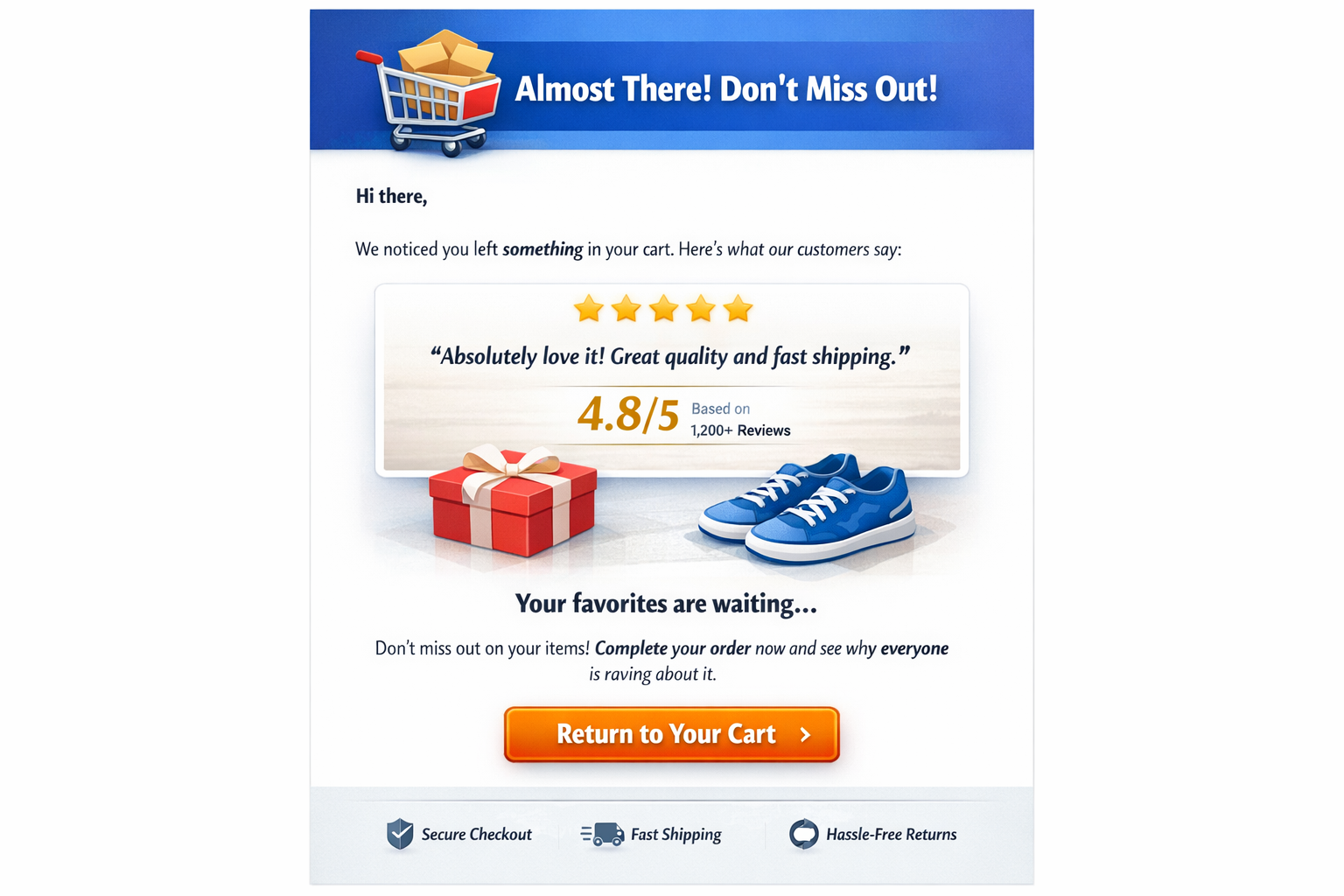
An abandoned cart email with social proof Template (B) is one of the most powerful ways to recover lost sales. Instead of simply reminding users about their cart, Version B focuses on trust signals—reviews, ratings, and real customer experiences—to push hesitant buyers toward completion.
This strategy works exceptionally well for email marketers, SaaS founders, freelancers, and ecommerce businesses who want a simple but high-converting email they can deploy instantly.
Below is a ready-to-use template optimized for conversions.
Why Social Proof Works in Cart Recovery
When customers abandon a cart, it’s rarely because they forgot. More often, they hesitate due to doubts like:
- “Is this product worth it?”
- “Will it deliver results?”
- “Can I trust this brand?”
Social proof helps remove those doubts instantly. A strong review quote + rating (like 4.8/5) provides reassurance and builds credibility. It tells the reader: others trust this, and you can too.
Abandoned Cart Email (Version B)
Subject Line
Still thinking it over? See why others love this…
Preview Text
Rated 4.8/5 by real users—don’t miss out.
Email Body
Hi {{first_name}},
You left something great behind 👀
Before you decide, here’s what customers are saying about it:
⭐ 4.8/5 rating (1,200+ happy users)
“Absolutely love it! Great quality and fast results.”
This isn’t just another product—it’s something people genuinely enjoy using and recommend to others.
Your items are still in your cart, ready whenever you are. But they may not stay there forever.
If you were unsure before, this is your sign to give it a try. Thousands of customers already trust it—and you can too.
Don’t miss out on something that’s already working for so many people just like you.
CTA
Return to Your Cart
Why This Email Converts
This abandoned cart email social proof strategy works because it combines three key conversion triggers:
1. Trust Through Ratings
Displaying a 4.8/5 rating instantly signals high quality and popularity.
2. Emotional Connection
A short, simple review quote creates relatability and authenticity without overwhelming the reader.
3. Low Friction CTA
A single CTA like “Return to Your Cart” removes confusion and encourages immediate action.
Pro Tips to Increase Performance
To get the best results from this email template, follow these optimization tips:
- Use real customer reviews (even 1 sentence is enough)
- Keep ratings visible and easy to scan
- Add urgency (limited stock or time-based messaging)
- Avoid multiple CTAs—keep it focused
- Personalize wherever possible (name, product, behavior)
Customization for [BRAND] (Promptscafe)
To adapt this for Promptscafe, you can replace:
- “product” → email prompts / templates
- Review quote → feedback from users or marketers
- Rating → average user satisfaction score
Example tweak:
“Helped me write high-converting email campaigns in minutes!”This abandoned cart email social proof strategy is designed to increase conversions by combining trust, urgency, and simplicity in one message. By adding a clear rating like 4.8/5 and a short, authentic review quote, you instantly reduce hesitation and build credibility with potential buyers. Instead of overwhelming the reader, this version focuses on one goal: getting them back to complete the purchase. When used correctly, this approach can significantly improve recovery rates, boost revenue, and strengthen brand trust. For best results, always use real customer feedback and keep your email short, clear, and action-focused.
Final Thoughts
A simple reminder email is no longer enough. To truly recover lost revenue, you need a data-backed abandoned cart email with social proof.
By showing that others already love your product, you reduce hesitation and make the buying decision easier.
If you implement just this one email in your funnel, you’ll likely see immediate improvement in your cart recovery rate.
Write a social-proof based abandoned cart email (version B) with review snippet + rating.

Include:
- Review quote (1 sentence)
- Rating (e.g., 4.8/5)
- 1 CTA
Output:
- Subject + preview
- Body
- CTA